December · 4 days to 3 weeks · up to 50,000 participants

Holiday advent calendar at work

Build your December from three gifts: a week-long company-wide task (a tree made of everyone's ornaments, a wish map, a tree battle), plus a daily solo quiz for points or a holiday mini-game. A couple of minutes on a phone keeps the whole company together all December, with the grand finale at your holiday party.

🤝 3 company-wide mechanics⚡ 14 solo tasks🎮 8 holiday mini-games

Decembersample 21-day plan

🎄🧩💡🌍🌨️✅⛵💌🛷🔔🐧🥗🍪🎵🌲🐰⭐🕰️🧪🎞️🍿

company-wide task · weeksolo quizmini-game

Why December

The holiday party is one night. December is a whole month

Here's the usual story: three weeks of silence, one evening not everyone makes it to, then silence again. The calendar stretches the celebration across all of December.

Everyone can join, from any city and time zone

A couple of minutes a day, whenever it suits you, no need to find a time that works for everyone

A shared tree made of hundreds of ornaments, a wish map, and an engagement report

Three formats

Build your advent calendar from three gifts

Each format is its own box. Take one, two, or all three: a shared weekly project keeps the company together, while solo quizzes and mini-games give people a reason to drop in every day.

🎄 the tree grows for 5 days

Whole company

one task · open for 5 days

One big shared project for the week, in one of three mechanics: a canvas everyone builds together, a map of wishes from every city, or awards with voting.

  • Canvas: The Company Tree
  • Wish Map
  • Awards: Tree Battle

Solo tasks

new every day · 1–2 minutes

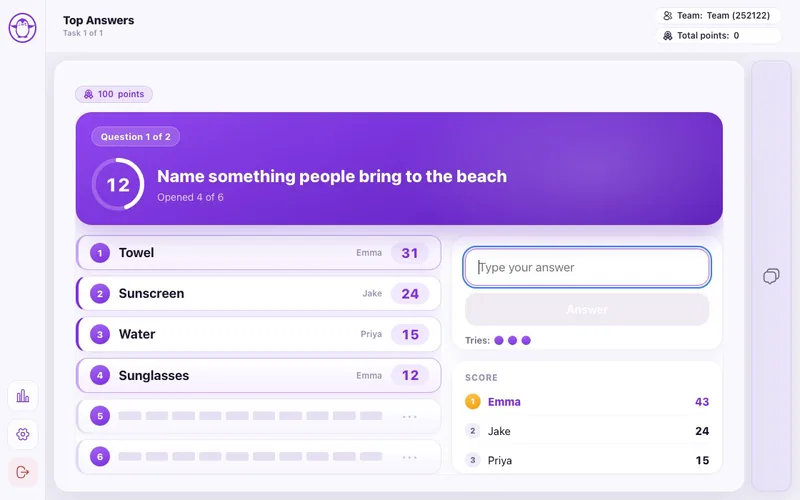
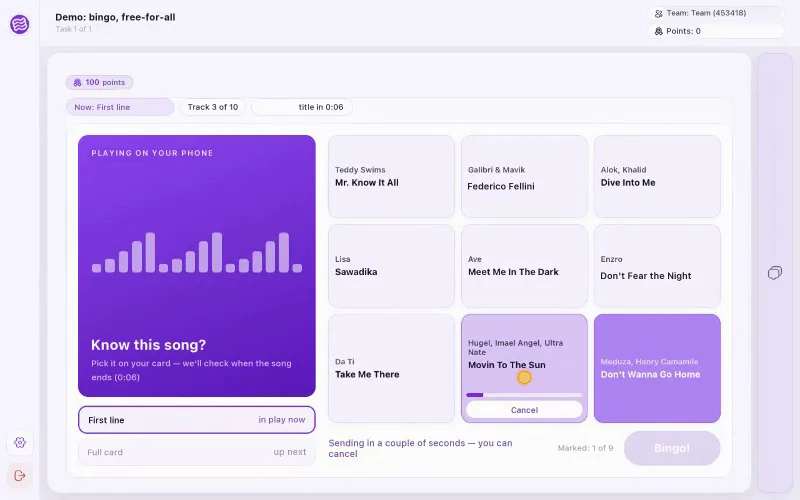
Classic tasks of the day: holiday quizzes, truth or myth, guess the sound or the scene, quick-fire rounds. Everyone plays for themselves, and points go to the shared leaderboard.

  • New Year's Around the World
  • New Year's: Truth or Myth
  • What's That Sound?
🎮 solo or as a team

Mini-games

a new one every day · 2–5 minutes

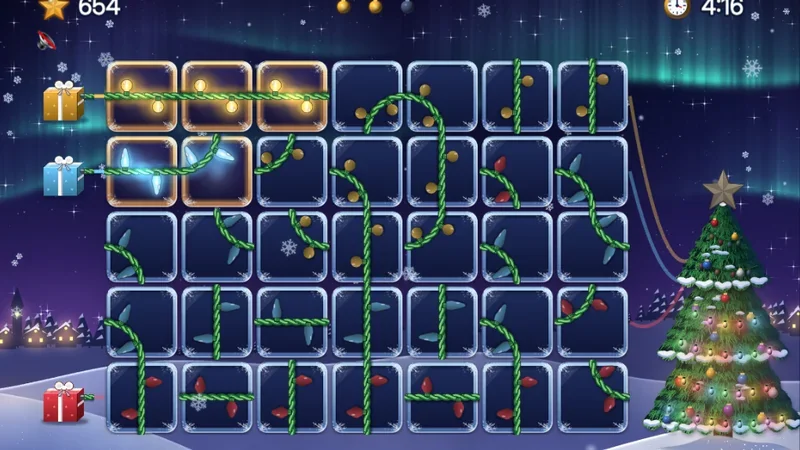
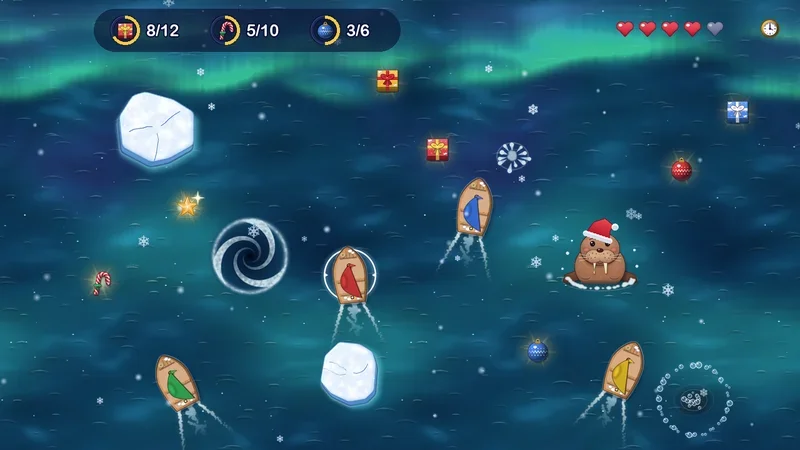
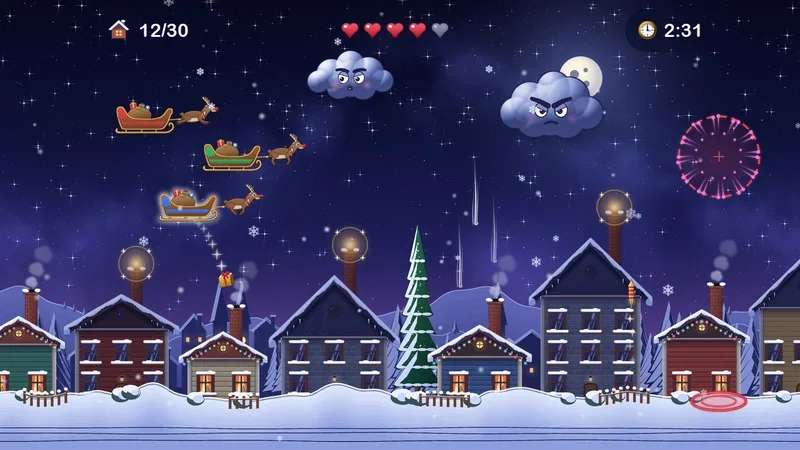
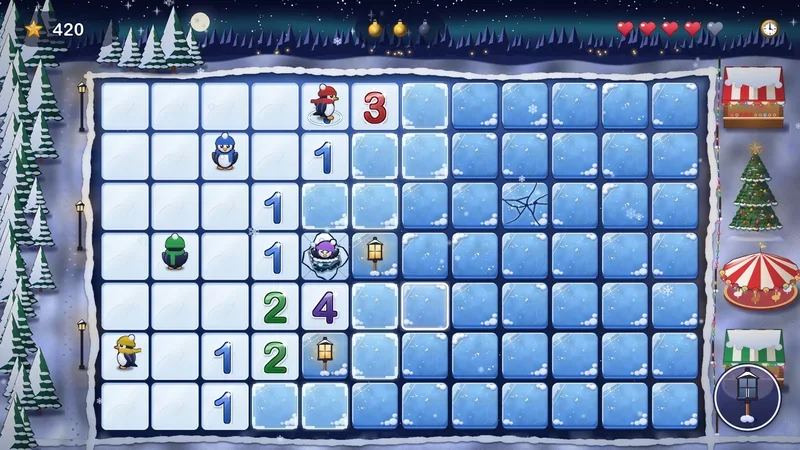
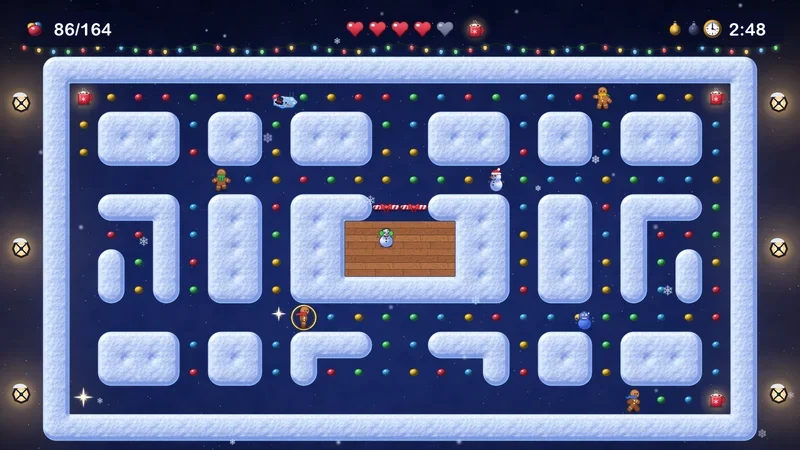
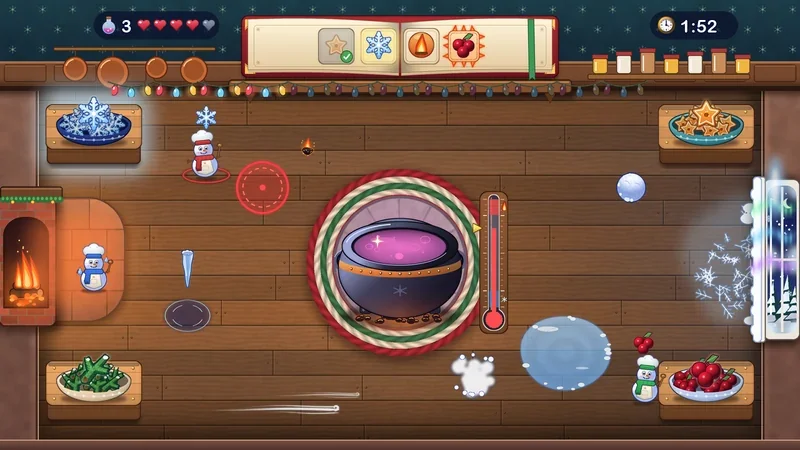
The platform's holiday arcade games: light up the tree, deliver gifts across the rooftops, cross the thin ice. Play solo or as a team, on a phone or a computer.

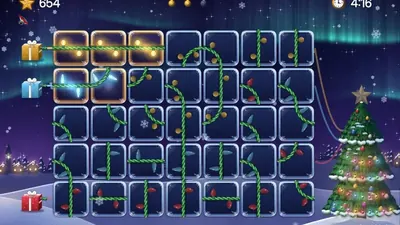
  • Light the Tree
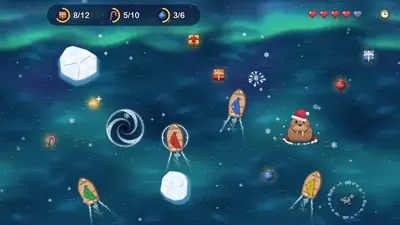
  • Snowstorm
  • Gift Run

1Pick your gifts

2How many weeks

Book a call
Your DecemberClick a window or a week's banner to pick your own task

This is a sample rhythm: we'll tailor the order, the task mix, and the days off to your team. You can have a quiz and a mini-game on the same day, plus custom tasks about your company.

What's inside the gifts

Holiday advent calendar tasks: company-wide, solo, and mini-games

Company-wide tasks in three mechanics (canvas, map, and awards), each open for 5 days; 14 solo tasks that take 1–2 minutes; and 8 holiday mini-games. We'll pick the mix and the order to fit your holiday party date.

Canvas: one big picture built from everyone's contributions

Everyone adds a photo, and the picture grows before your eyes: you can see how much has been collected and how far it is to the goal.

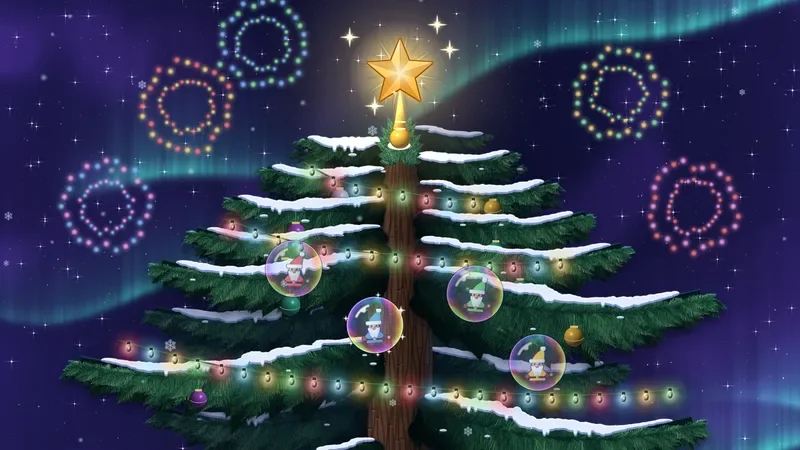
The Company Tree on the platform: employees' ornaments on the shared tree, the lights come on at the goal
Task 1open for 5 daysShared canvas

The Company Tree

Snap a photo of your favorite ornament, and it goes up on the company's shared tree. A ball from your childhood, a pinecone from the backyard, a homemade angel: everything counts. Hit 300 and the lights come on.

“The ornament that survived three moves and one cat”
Why it spreads: the tree grows in front of the whole company: everyone looks for their ornament, shows it to coworkers, and rallies the rest to get the lights on.
10 secondsgoal: 300 ornaments
Canvasopen for 5 days

The Company Holiday Table

Snap a photo of your signature holiday dish, and it takes its place on the shared table. Mom's green bean casserole, pecan pie, eggnog with a secret ingredient. Hit 200 dishes and the candles light up.

10 secondsgoal: 200 dishes
Canvasopen for 5 days

Winter City of Windows

Snap the view from your window, and it becomes a window in a shared winter city. Snowdrifts in Minneapolis, the lights of New York, the beach in Miami: by the end of the week the city glows with hundreds of windows.

10 secondswindows from every city

Your own canvas

A company logo made of employee photos, a shared snow globe, a gift display: we'll build a canvas around your brand and your goals.

Create your own

Map: wishes and stories from every city and country

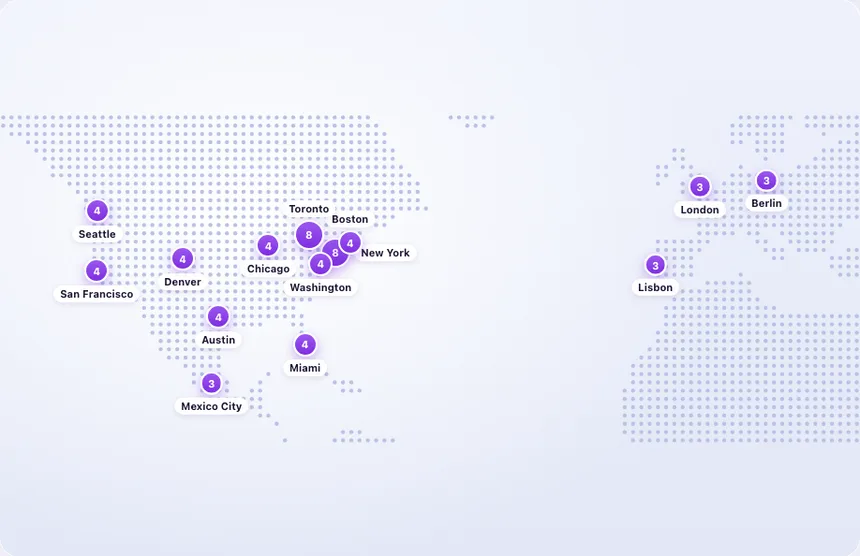
Pins come in from any city: tap a dot to read what coworkers there wrote.

Wish Map on the platform: coworkers' wishes pinned to cities and a feed of all wishes
Task 2open for 5 daysMap

Wish Map

Write a wish for your coworkers and pin your city. The wishes gather on a shared map: tap a city to read what people there are wishing for.

“Seattle: wishing us all a good night's sleep in January”
Why it spreads: people read every wish and reply with their own. Each city has a counter, so by the end of the window you can see where the most warmth came from.
30 secondsup to 120 characters
Mapopen for 5 days

The Holidays in Our Cities

Share how your city celebrates: the signature dish, the best spot for fireworks, a local tradition. The map becomes the whole company's guide to the holidays.

1 minutetext or photo
Mapopen for 5 days

Where We'll Spend the Holidays

Mark where you'll be for the holidays: at home, with your parents, in the mountains, or at the beach. You can see who's heading where, and who you might run into.

30 secondsa pin and a few words

Your own map

A map of offices and branches, client cities, or your year's journey, with your own questions and pins.

Create your own

Awards: entries, votes, and winners

Participants post entries and vote with hearts in each category, and the top 3 are revealed to everyone when voting closes.

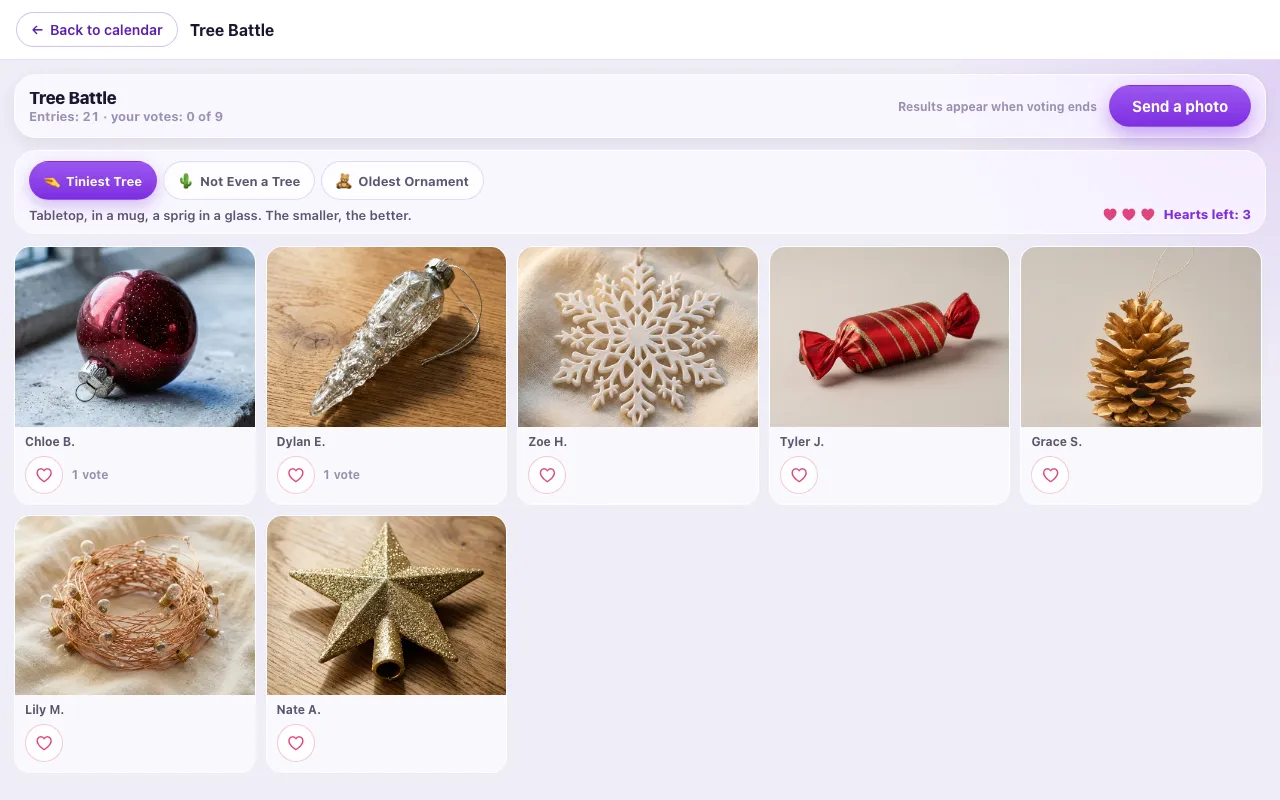
Tree Battle on the platform: photos of employees' trees by category and voting with hearts
Task 3open for 5 daysPhoto contest

Tree Battle

Snap a photo of your tree: a real one, one made of branches, a stack of books, or one drawn on a sticky note. Categories like “Tiniest Tree,” “Not Even a Tree,” and “Oldest Ornament” mean an expensive tree doesn't win a single one.

“A tree made of a stack of books, with War and Peace on top”
Why it spreads: people rally coworkers to vote for their tree, and the most unexpected “not even a tree” entries spread across every chat.
1 minute3 hearts per category
Task 4open for 5 daysPhoto contest

Childhood Holiday Photo

Dig up a childhood photo by the tree or from a school holiday pageant: snowflake, bunny, musketeer in Mom's cape. You get three days to leaf through the family album or ask your parents to send that one picture.

“Bunny, 1994. The ears were hanging on by a thread”
Why it spreads: coworkers' childhood photos by the tree get shared first: “look, that's our boss dressed as a snowflake!”
2 minutes3 hearts per category
Task 5open for 5 daysPhoto contest

Holiday Movie Scene Remake

Recreate a scene from your favorite holiday movie: a blanket, some tangerines, and a little acting talent. You get a ready-made list of scenes you can shoot in a minute: Christmas Vacation, Home Alone, The Grinch, Love Actually, The Santa Clause.

“Love Actually: a confession to the whole department on cue cards”
Why it spreads: people recognize the scene in a second and pass it on, and the digest puts the original next to the remake, a pair everyone wants to show off.
1–2 minutes3 hearts per category

Your own contest

Tangerine peel spiral, best ugly sweater, desk decked out in lights: we'll come up with categories for your team.

Create your own

The Company Tree, Wish Map, Tree Battle, and mini-games are recordings from the platform; the rest are animated mockups.

Viral effect

Why it spreads through the company

We don't force anyone to join. The tasks are built so people invite each other.

Easy to start

Every task takes a minute on your phone and comes with ready-made examples. No “so what am I supposed to do?” moment, so even the people who usually stay quiet join in.

Get to know coworkers

A childhood pageant photo, a coworker's tree, a holiday movie scene remake: you want to know whose it is, and show it to the person next to you in chat.

Voting

Author sends out the link and asks people to vote. Every entry brings in new viewers.

Moderation

Photos go live after review. Jokes stay jokes, and people feel safe sharing their own.

On top of the platform, we handle:leaders post firsta weekly digest for the team chatcounter: “40 to go until the lights come on”final poster: “Our Holidays”
Platform

Participant page, results, and moderation: all ready to go

Everything runs on our platform: nothing to install or build. Screens are mockups with sample data.

Open the live demoThe real participant page: animated walkthroughs, previews of every task, sign-in options.
For participants

A personal page with the calendar

  • Sign in with a work email or a personal code. No passwords, nothing to install
  • A quick profile on first sign-in: name and, say, team
  • A grid of windows with statuses: done, open, coming up, missed
Results

Leaderboard

  • Top 3 in every category , visible to everyone once voting closes
  • The organizer gets a summary by participant: tasks, points, time
  • Excel export for prizes and reporting
Admin panel

Photo and text moderation

  • One queue for every task , photos and text alike, filterable by task
  • “Publish,” “Reject,” or “Publish all” in one click
  • Rejected entries aren’t deleted. You can bring them back
Ties into the party

December ends at your holiday party

The calendar doesn't compete with your holiday party, it builds up to it. By the time the team sits down at the table or turns on their cameras, you already have a ready-made five-minute segment for the program.

  • A results screen for the room

    The finished tree, the wish map, the month's numbers, and the contest winners, all launched from the host's laptop.

  • Awards without inventing categories

    The calendar has already picked the points leaders and photo contest winners.

  • Keepsake cards

    A personal card for every participant at the end of the calendar, which people save and share.

December RecapDec 25 · ballroom
496ornaments on the shared tree
184wishes on the map
31cities on the map

Sample recap screen: a 600-person company, a three-week calendar window in December.

FAQ

Holiday advent calendar FAQ

Can we build a calendar from just some of the formats?+

Yes. The three formats stack like building blocks: a week-long company-wide task, solo quizzes, and holiday mini-games that open every day. Pick one, two, or all three. Mini-games can be played solo or as a team, on a phone or a computer, in 2–5 minutes.

How long does the holiday advent calendar run?+

From four days to three weeks. A short sprint fits right before the holiday party, two weeks is the sweet spot, and three weeks covers all of December: a new company-wide task every week, plus a solo quiz or holiday mini-game every day.

When should we start preparing?+

With 3–4 weeks we can do it all: your own set of tasks, questions about your company, and canvas art in your style. With 10–14 days: ready-made tasks, your logo, and one or two custom tasks. With 3–5 days: a short sprint on ready-made tasks. After the holidays, the same format works for your company anniversary or International Women's Day.

We decided in mid-December. Can we still launch in time?+

Yes. A short four-to-five-day sprint comes together in a couple of days on ready-made tasks: The Company Tree, the Wish Map, the Tree Battle, and holiday quizzes are all ready, so there's nothing to build from scratch. We add your logo right away, plus questions about your company if there's a week left before launch.

Half the team is in different time zones, and some people are already on vacation. What now?+

No shared time slot needed: the company-wide task stays open for 5 days, the solo quiz and mini-game for the whole day, and times show in each participant's own time zone, so someone in Tokyo joins over breakfast and someone in Seattle after dinner. Vacations and business trips don't knock anyone out of the game.

How does the calendar fit with the holiday party?+

The calendar is December leading up to the celebration; the party is the celebration itself. By the night of the party, the team already shares a story: The Company Tree with hundreds of ornaments, a Wish Map covering every city, the contest winners. From there you can run a live hosted game; you'll find the formats on our holiday activities page.

Do we need prizes and gifts?+

Not necessarily. The calendar runs on its own rhythm and on the shared tree, not on prizes. If you have a prize budget, we'll suggest where to put it: the points leaders or the category winners, say, for the tiniest tree or the longest tangerine peel spiral.

What does the organizer see during December?+

An analytics dashboard: how many people completed each task, how every task is going, a participant summary with points, and an Excel export. The admin panel has one moderation queue for photos and text, plus voting results by category.

Who will see participants' photos and wishes?+

Only coworkers taking part in the calendar. Everything goes through moderation first: the organizer publishes or rejects entries, and rejected ones can be restored.

What do participants need to install?+

Nothing. The calendar opens in a browser, on a phone or a computer. People sign in through a link sent to their work email or with a personal code.

What does the holiday calendar's price depend on?+

On the number of participants, the length of the window, and how much customization you want: five days of ready-made tasks is one thing, three weeks with questions about your company and canvas art in your style is another. Tell us about your team and dates, and we'll put together a quote.

What does the company keep after the holidays?+

The Company Tree and the Wish Map, which work great in your holiday newsletter and on social media; the best contest photos; personal cards for participants; and a final engagement report. Later, the same calendar can be rebuilt for your company anniversary or International Women's Day with new themes and design.


December

Tell us about your team and your holiday party date, and we'll build the calendar window around them

December books up early: the sooner we start, the more time there is for questions about your company and canvas art in your style.