Online · 4 days to 3 weeks · up to 50,000 participants

Advent calendar for your team

Build your calendar from three formats: a weekly company-wide task (The Company Mug Shelf, a Hobby Map, a Photo contest), plus a solo quiz for points or a mini-game every day. A couple of minutes on your phone, and the whole team is in one game for 4 days to 3 weeks.

🤝 3 company-wide mechanics⚡ 14 solo tasks🎮 8 mini-games

Example3 weeks

☕🌍⚡🍵⛵🎸🚀🧶💣🤔👾🧸🃏🕰️🚀🎞️⛈️🍿🧟🐶🐱

company-wide task · weeksolo quizmini-game

Why a calendar

Team building lasts one evening. A calendar lasts for weeks

Here's the usual pattern: a month of silence, one call that half the team skips, then silence again. A calendar gives people a reason to check in every day and see each other for weeks.

Everyone can join, from any city and time zone

A couple of minutes a day, whenever it suits you, no need to find a time that works for everyone

A shared Mug Shelf, a Hobby Map, and an engagement report

Calendar themes

The same calendar, for Halloween and the holidays

Same format and rhythm, new tasks and design. Pick the theme for your month, or order your own.

Three formats

Build your advent calendar from three formats

Each format is its own box. Take one, two, or all three: a shared weekly project keeps the company together, while solo quizzes and mini-games give people a reason to drop in every day.

☕ the shelf fills up over 5 days

Whole company

one task · open for 5 days

One big shared project for the week, in one of three mechanics: a canvas everyone builds together, a map with pins from every city, or a photo contest with voting.

  • Canvas: Mug Shelf
  • Hobby Map
  • Awards: What I Wanted to Be

Solo tasks

new every day · 1–2 minutes

Daily tasks: picture and sound quizzes, “true or myth,” movies in emoji, speed rounds. Everyone plays for themselves, and points go to the shared leaderboard.

  • Latte or cappuccino?
  • Guess the hobby from the emoji
  • Hobby true or myth
🎮 solo or as a team

Mini-games

new every day · 1–3 minutes

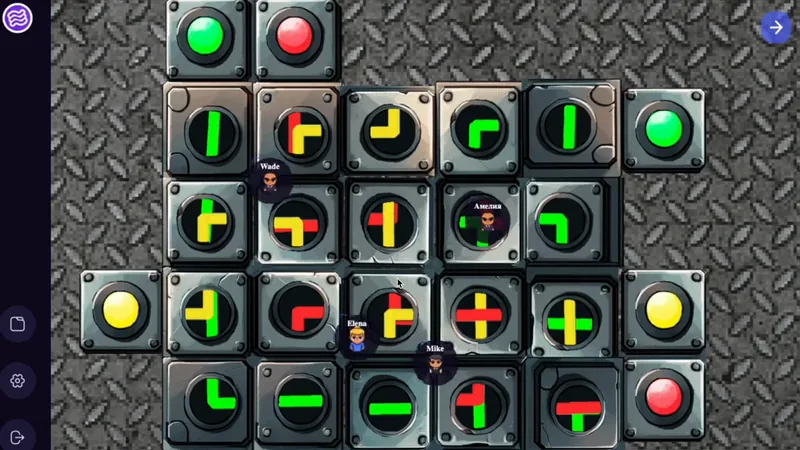
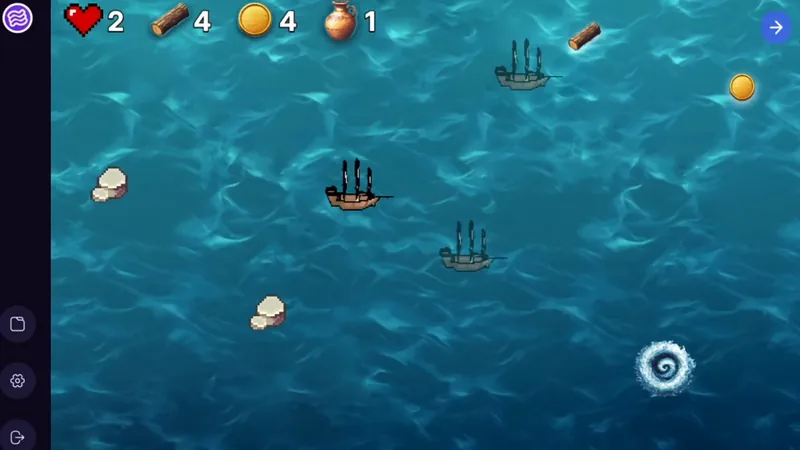
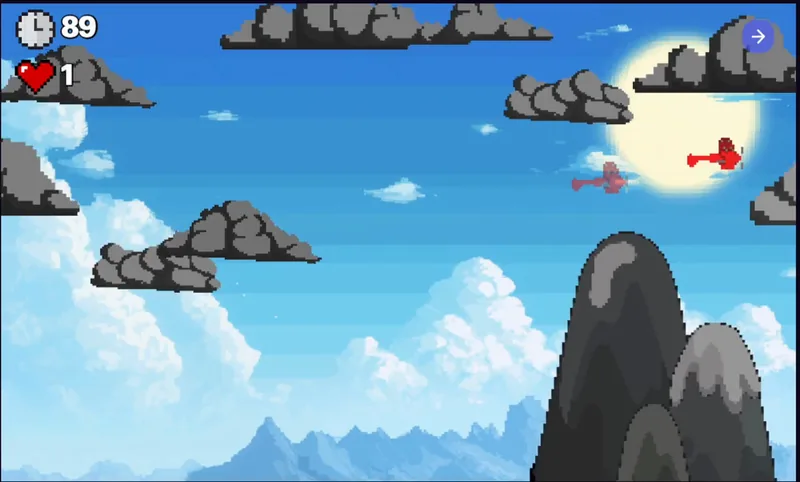
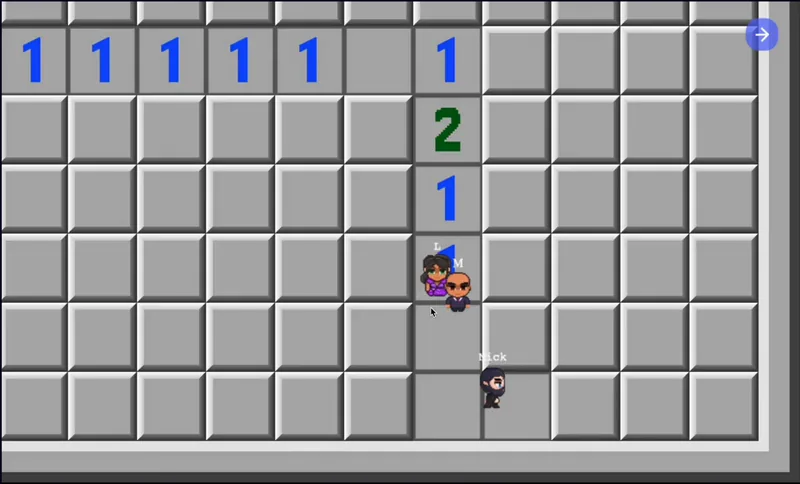
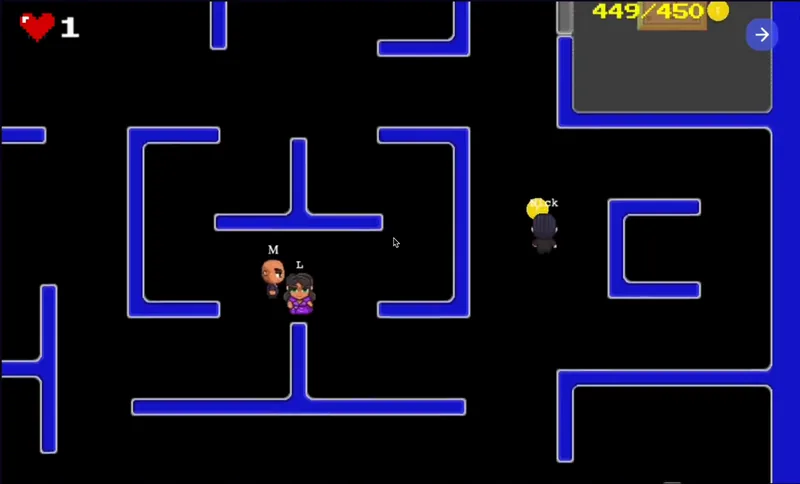
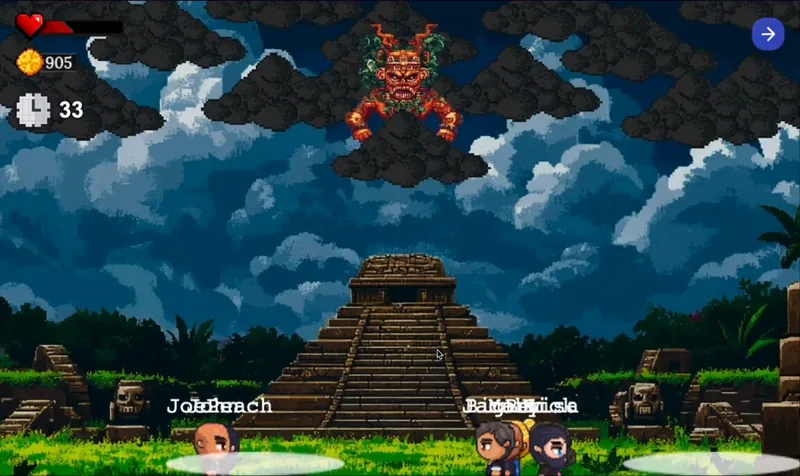
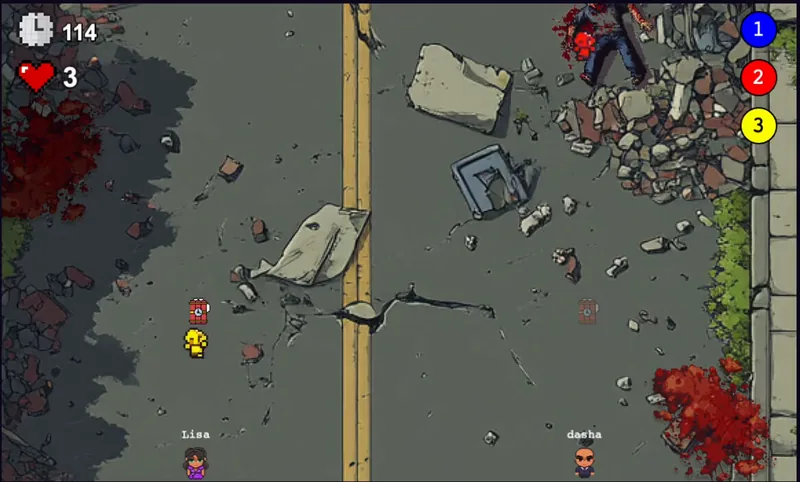
Arcade games and puzzles on our platform: complete the circuit, steer a ship across the ocean, clear the minefield. Solo or as a team, on a phone or a computer.

  • Power Up
  • High Seas
  • Dream Flight

1Pick your formats

2How many weeks

Book a call
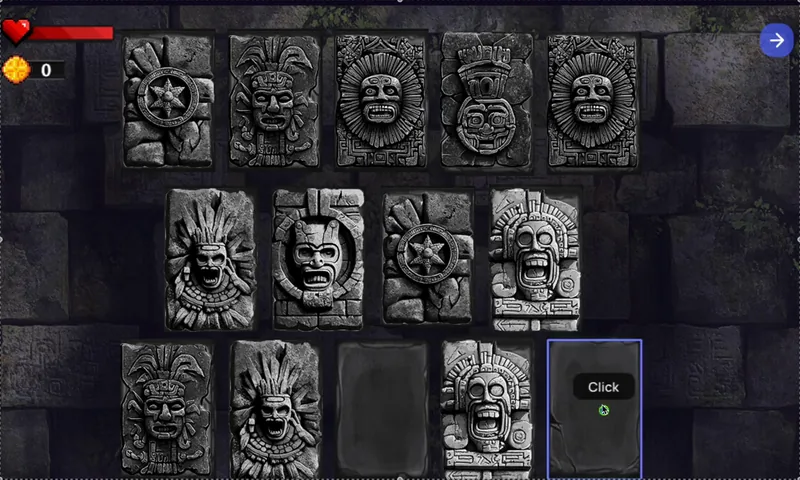
Your calendarClick a window or a week's banner to pick your own task

This is a sample rhythm: we'll tailor the order, the task mix, and the days off to your team. You can have a quiz and a mini-game on the same day, plus custom tasks about your company.

What's inside

Advent calendar tasks: company-wide, solo, and mini-games

Company-wide tasks in three mechanics (Canvas, Map, and Awards), each open for 5 days; 14 solo tasks that take 1–2 minutes; and 8 mini-games. We'll pick the mix and order for your team and occasion.

Canvas: one big picture built from everyone's contributions

Everyone adds a photo, and the picture grows before your eyes: you can see how much has been collected and how far it is to the goal.

Task 1open for 5 daysShared canvas

The Company Mug Shelf

Every favorite mug has a story: a gift from grandma, a conference trophy, that one with the chipped handle you just can't throw out. Snap a photo of yours and it goes up on the company's shared shelf. Hit 200 and the kettle boils.

“‘Don't talk to me before coffee.’ Survived three moves and one chipped handle”
Why it spreads: the shelf fills up with coworkers' mugs right in front of you, and it starts: “Wait, that's Mike's mug!” “Where'd you get that one?” Everyone hunts for their own and rallies the rest to hit 200.
10 secondsgoal: 200 mugs
Task 2open for 5 daysShared canvas

The Pet Office

Let your coworkers at home clock in too. Upload a photo of your cat, dog, turtle (or your ficus, if you're all about a green office) and your pet takes its desk in the company's shared office. Hit 150 and the office comes alive.

“Whiskers, Nap Department. Onboarded Tuesday, not yet spotted at his desk”
Why it spreads: everyone hunts for their pet in the office and shows it off to coworkers, and captions like “Ginger, Head of Cookies” make the rounds in every chat.
1 minutegoal: 150 pets
Canvasopen for 5 days

The Company Bookshelf

Snap a photo of a book you'd recommend to coworkers, and it goes up on the shared shelf. A novel you keep rereading, a textbook that changed how you work, a comic from your childhood. Hit 150 books and the company library opens.

10 secondsgoal: 150 books

Your own canvas

A company logo made of employee photos, a mascot wall, a desk-setup showcase: we'll build a canvas around your brand and goal.

Create your own

Map: pins and stories from every city and country

Pins come in from any city: tap a dot to read what coworkers there wrote.

Task 3open for 5 daysMap

Hobby Map

Manager by day; potter, barista, or neighborhood ping-pong champ by night. Pin your city and share what you do after work. Click around the cities to find out who nearby is into the same thing.

“Chicago: I juggle. Three tangerines for now, but I promise four by New Year's”
Why it spreads: “Did you know Kevin from accounting knits?” Discoveries like that get forwarded to the chat instantly. And some people find a coworker in their own city with the same hobby for the first time.
30 secondsup to 120 characters
Mapopen for 5 days

Where We're From

Pin the city you grew up in and one thing it's famous for: a food, a place, a local word. The map becomes a guide to the whole company's hometowns.

1 minutea pin and a few words
Mapopen for 5 days

Best Vacation Ever

Pin the place where you had your best vacation and give coworkers a tip: what to see, where to eat, when to go. By the end of the week you've got a ready-made list of vacation ideas.

1 minutetext or photo

Your own map

A map of offices and branches, client cities, or your year's journey, with your own questions and pins.

Create your own

Awards: entries, votes, and winners

Participants post entries and vote with hearts in each category, and the top 3 are revealed to everyone when voting closes.

Task 4open for 5 daysPhoto contest

What I Wanted to Be

Dig up a childhood photo and tell us what you dreamed of becoming: an astronaut, an ice cream seller, a dragon tamer. You get three days to flip through the family album or ask Mom to send that one picture.

“Wanted to be an astronaut. Became a team lead, so I still run launches”
Why it spreads: childhood photos get shared the most: “Look, it's our boss!” Everyone wants to see their coworkers as kids, and vote.
2 minutes3 hearts per category
Task 5open for 5 daysPhoto contest

Movie Scene Remake

Star in your favorite movie. No makeup, no budget: a blanket, a cat, a mop, and a little flair. Not sure what to pick? Here are ten scenes you can recreate in a minute: “Home Alone,” “The Lion King,” “Titanic,” “The Matrix,” “Dirty Dancing.”

“‘The Lion King’: hold the cat up over your head in front of a window. The cat objected but came around”
Why it spreads: people recognize the scene in a second and pass it on: “Mike is the Terminator!” And in the digest we put the original next to the remake, a pair everyone wants to share.
1–2 minutes3 hearts per category
Task 6open for 5 daysPhoto contest

Meme IRL

Become a meme and see what it feels like. Recreate a famous meme without Photoshop: with a mug, a cat, or an office chair. To save you the search, here's a list of memes you can shoot solo: “Hide the Pain Harold,” “This Is Fine,” “Blinking Guy,” “Smudge the Cat.”

“Hide the Pain Harold: my smile when an urgent task lands at 6 p.m. on a Friday”
Why it spreads: memes already live in work chats, and a meme with a coworker's face is twice as fun to share.
1–2 minutes3 hearts per category

Your own contest

Best desk setup, the most unusual view from a window, a photo with the company mascot: we'll come up with categories for your team.

Create your own

Company-wide and solo task screens are animated sketches; mini-games are recordings from the platform.

Viral effect

Why it spreads through the company

We don't force anyone to join. The tasks are built so people invite each other.

Easy to start

Every task takes a minute on your phone and comes with ready-made examples. No “so what am I supposed to do?” moment, so even the people who usually stay quiet join in.

Get to know coworkers

A mug, a hobby, a childhood photo, a movie scene, a meme: you want to know whose it is, and show it to the person next to you in chat.

Voting

Author sends out the link and asks people to vote. Every entry brings in new viewers.

Moderation

Photos go live after review. Jokes stay jokes, and people feel safe sharing their own.

On top of the platform, we handle:leaders post firsta weekly digest for the team chata counter: “40 more to a full shelf”a final poster: “Our Calendar”
Platform

Participant page, results, and moderation: all ready to go

Everything runs on our platform: nothing to install or build. Screens are mockups with sample data.

Open the live demoThe real participant page: animated walkthroughs, previews of every task, sign-in options.
For participants

A personal page with the calendar

  • Sign in with a work email or a personal code. No passwords, nothing to install
  • A quick profile on first sign-in: name and, say, team
  • A grid of windows with statuses: done, open, coming up, missed
Results

Leaderboard

  • Top 3 in every category , visible to everyone once voting closes
  • The organizer gets a summary by participant: tasks, points, time
  • Excel export for prizes and reporting
Admin panel

Photo and text moderation

  • One queue for every task , photos and text alike, filterable by task
  • “Publish,” “Reject,” or “Publish all” in one click
  • Rejected entries aren’t deleted. You can bring them back
Made for your company

The calendar looks like yours, not ours

Your logo and style

Your logo goes on the participant page, and we draw the shared canvas art in your style: a mug shelf, a pet office, or your own idea.

Questions about you

A quiz about your company, product, and people, built together with your HR team. Photo contest categories are picked to fit your culture, too.

Your occasion, your prizes

The holidays, Halloween, your company’s anniversary, International Women’s Day, or a product launch: the theme and look change, the rhythm stays.

FAQ

Frequently asked questions

Can we build a calendar from just some of the formats?+

Yes. The three formats work like building blocks: a weekly company-wide task, solo quizzes, and mini-games that open every day. Pick one, two, or all three. Mini-games can be played solo or as a team, on a phone or a computer.

How long does the advent calendar run?+

You choose: anywhere from four days to three weeks. The short version works as a warm-up before the holiday party. Three weeks makes a full calendar: a new company-wide task every week, plus a solo quiz or mini-game every day.

How long does one task take?+

A solo task (a quiz or a quick round) takes 1–2 minutes. A mini-game takes 1–3 minutes. A big company-wide task takes anywhere from ten seconds to a couple of minutes, and it stays open for 5 days, so people can drop in whenever it suits them.

What do participants need to install?+

Nothing. The calendar opens in the browser, on a phone or a computer. People sign in with a link sent to their work email or with a personal code. No passwords, no VPN.

How many people can take part?+

Up to 50,000 employees. Everyone does solo tasks on their own and earns points on a personal leaderboard, while the big tasks are a team effort: a shared canvas, a map, a photo contest with voting.

Who sees participants’ photos and text?+

Only coworkers taking part in the calendar. Everything goes live after moderation: the organizer publishes or rejects entries in the admin panel, and rejected entries can be restored.

Could there be awkward photos?+

Tasks are about mugs, hobbies, pets, childhood, movies, and memes. Nothing about looks or outfits. A moderator checks every entry before it goes live.

Can you tailor the calendar to our company?+

Yes. Your company logo on the participant page, a quiz about your company, your own photo contest categories, and shared canvas art in your style.

Does the advent calendar only work for the holidays?+

No. The mechanics are seasonal only in look. We have ready-made Holiday and Halloween versions, and companies also run calendars for their anniversary, International Women’s Day, a product launch, or just to liven up an ordinary month.

Where do we see the results?+

The organizer gets a participant summary and an Excel export, plus voting results for each category, in the admin panel. We announce the leaders in the digests and at the calendar finale.


Advent calendar

Tell us about your team, and we’ll suggest dates, a task lineup, and a report format

We’ll walk you through the calendar and the platform in 30 minutes, and help you pick the length, tasks, and look for your company.